Multifactor Authentication (MFA) Troubleshooting Tips for Vendors
If you are a user that is unable to log in to IPP, please follow the self-service troubleshooting steps below.
- Please login to IPP from the above link only. Logging into ID.me or Login.gov will not re-direct you back to IPP.
- Your IPP email address must match the email address in ID.me or Login.gov to authenticate. If they do not match, please update the email address in ID.me orLogin.gov to match IPP. Note: For ID.me, the primary email address listed in ID.me must match the email address in IPP.
- If you do not receive a one-time passcode (OTP) to your email, please check your spam folder.
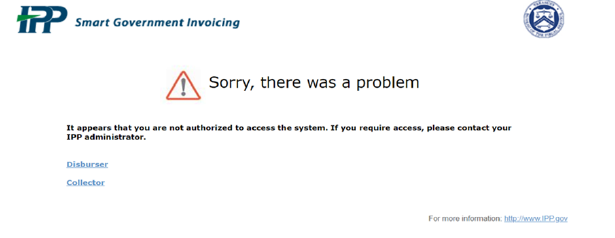
- After updating email address, if you continue to receive the error message below, your account may be disabled. In this case, you will need to contact your Company’s IPP administrator to activate your account. If you are the Company’s IPP administrator, you will need to contact the IPP Helpdesk to re-establish your access.
As a reminder, all vendors users must access the IPP application using either ID.me or Login.gov.