
First time Login with PIV/CAC Multifactor Authentication (MFA)
-
Access Disburser login page and select ‘PIV/CAC’.
Note: URL has now changed to https://www.ipp.for.fiscal.treasury.gov/xpsn/disburser
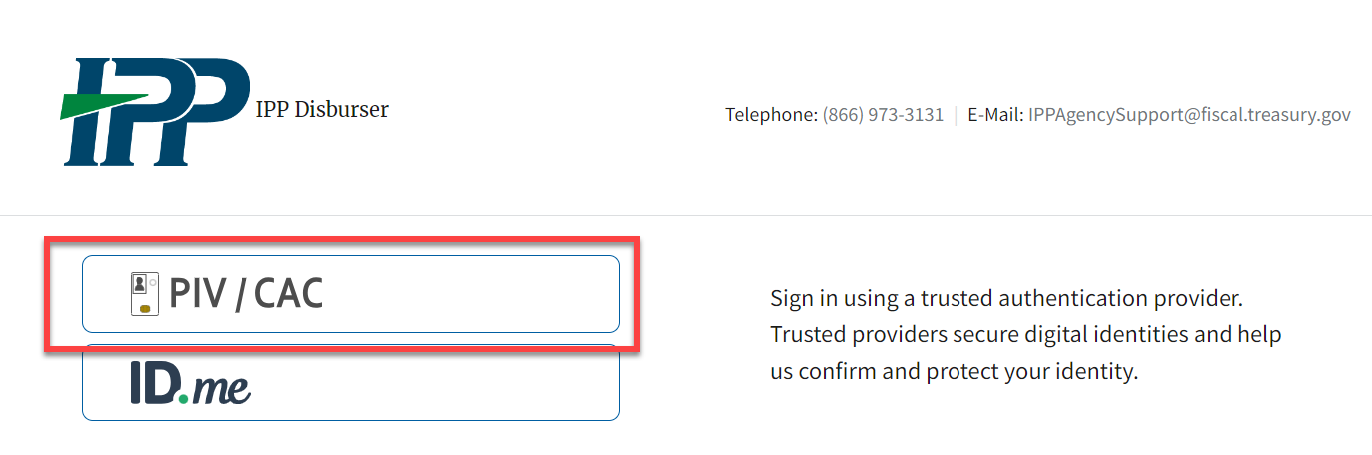
Note: Creating an ID.me account will require users to provide sensitive personal information and complete an identity verification process. We strongly recommend that PIV/CAC agency users only use the PIV/CAC option to access IPP.
-
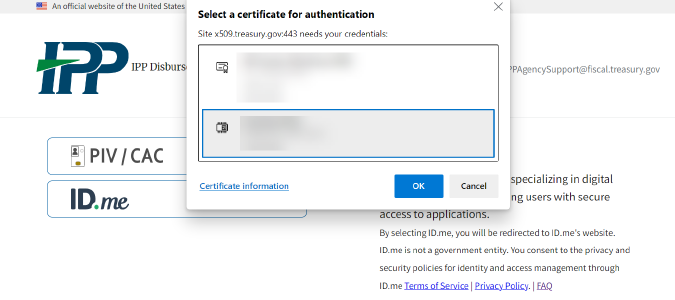
Select your PIV/CAC card from the certificate list and enter your PIN.
-
Enter your IPP email address below and click “submit”. A one-time verification code will be sent to your IPP email address.
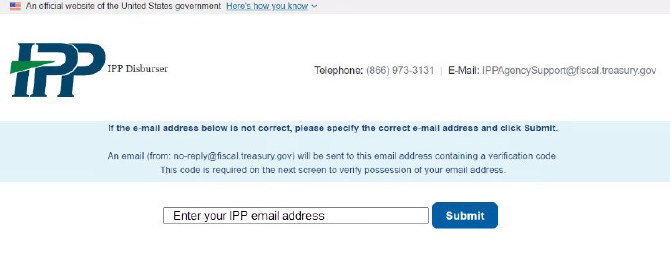
Note: If you have already accessed another Fiscal Service application that uses Common Approach Identity Assurance (CAIA) for authentication, you will not be prompted to verify your email address when you login to IPP with your PIV/CAC card.
-
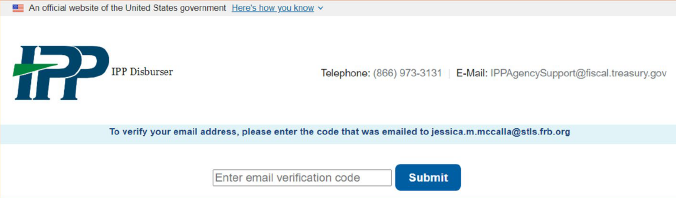
Enter the code sent to your IPP email address and click “submit”. You will now enter the IPP Disburser module.
Troubleshooting Tips
- Agency user’s email address in IPP must match the email address in Common Approach Identity Assurance (CAIA).
- If the email addresses do not match, one of them must be updated.
- To verify, and if necessary, update your CAIA email address, please follow the instructions in
Verifying and Updating Email Address in CAIA.
- Please contact your IPP agency administrator if you do not know your IPP email address or need to update it in IPP.